

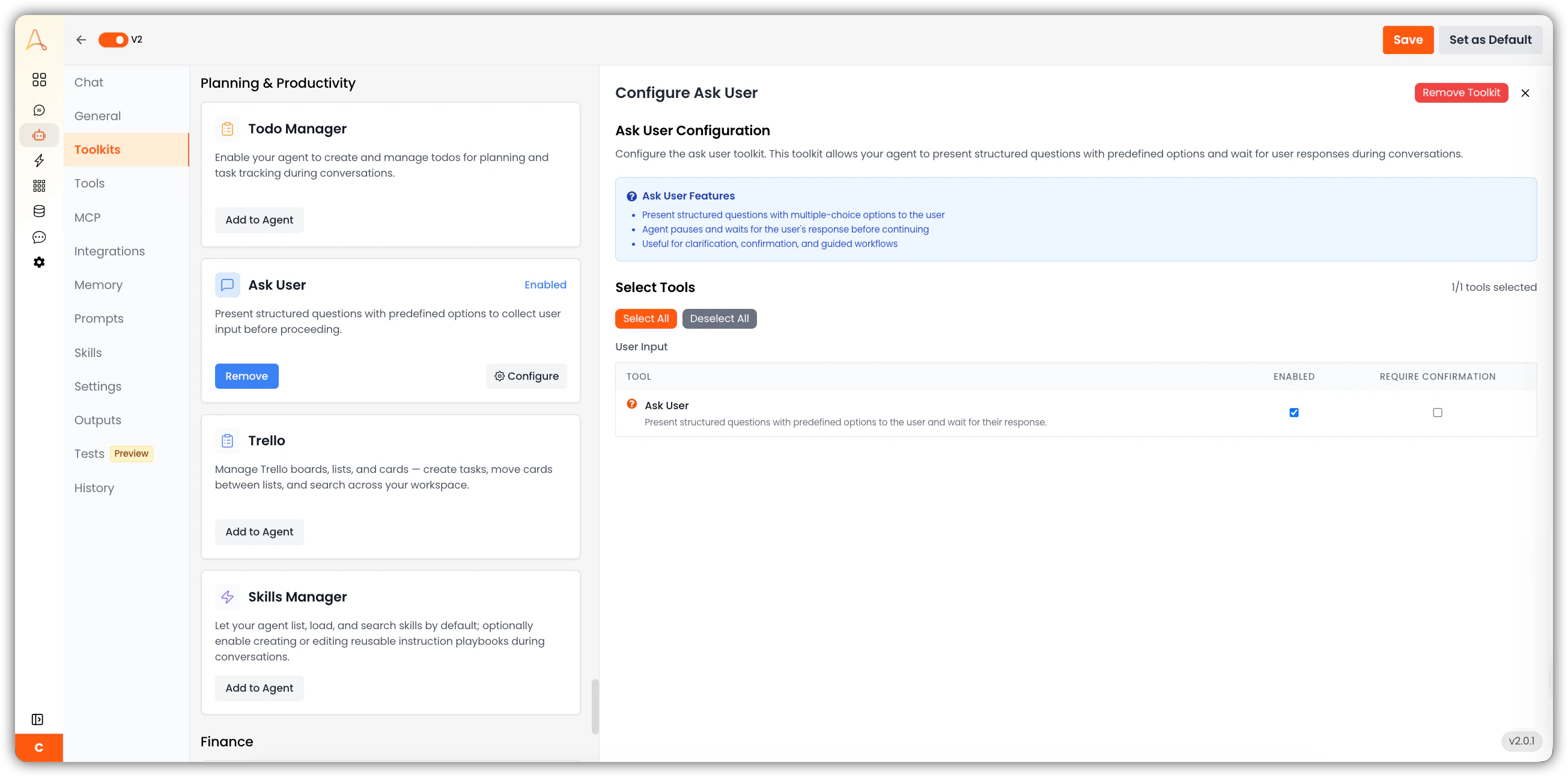
Ask User features
- Present structured questions with multiple-choice options to the user
- Agent pauses and waits for the user’s response before continuing
- Useful for clarification, confirmation, and guided workflows
Available tools (1/1)
The Ask User Toolkit provides one tool:- Ask User: Present structured questions with predefined options to the user and wait for their response.
The Require Confirmation option, when enabled, prompts the user to confirm the tool call before the agent executes it. This is disabled by default for the Ask User tool since the tool itself is a user-facing interaction.
Question types
Each question passed to the Ask User tool is one of two types:Choice
Displays predefined options as selectable radio buttons (single answer) or checkboxes (multiple answers). Use when the valid responses are known in advance.
Text
Displays clickable suggestion chips plus a “Custom” free-text field at the bottom. Use when the answer space is open-ended or only partially predictable.
How it works
When an agent needs information before it can continue, it will pause and display an interactive question card directly in the conversation. The card presents one or more questions — either as selectable options or a text input with suggestions — and waits for a response before proceeding. Once the user submits their answers, the agent picks up where it left off, using those responses to continue the workflow. All questions appear together in a single card. The agent will never ask follow-up questions mid-response or prompt for input through plain chat text.Use cases
- Data collection workflows — gather required parameters such as date ranges, filters, or record IDs before executing a query or generating a report.
- Multi-step approvals — prompt the user to confirm or choose between actions before the agent proceeds with an irreversible step.
- Dynamic routing — ask the user which path a workflow should take when branching logic depends on user intent.
- Onboarding and intake — collect structured profile or preference data at the start of a session to personalize subsequent agent behavior.
- Clarification on ambiguous requests — resolve ambiguity before taking action rather than proceeding on an incorrect assumption.