Tags
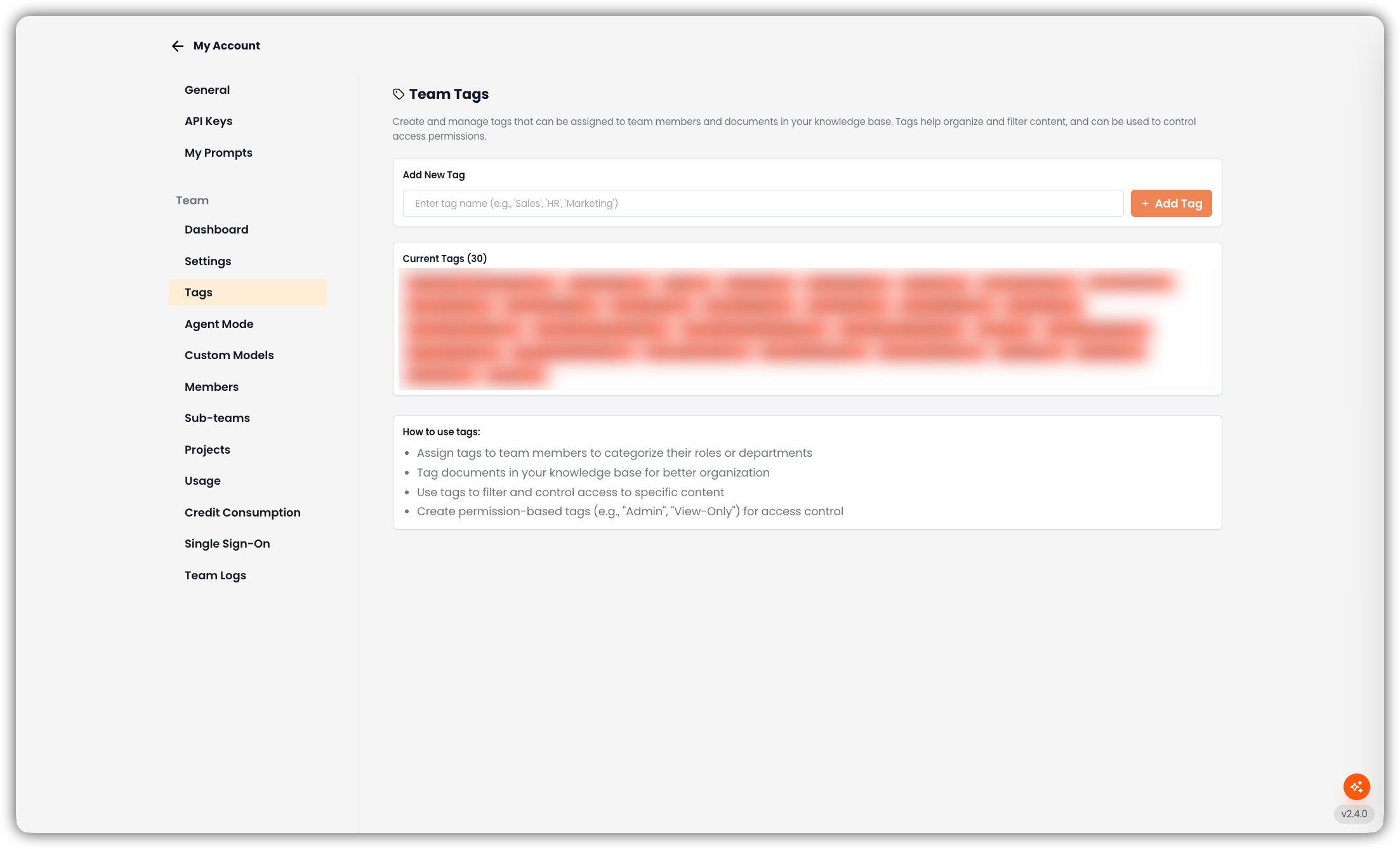
Open My Account → Tags to manage Team Tags — the catalog of Access Tags for your team. These tags are assigned to people and applied to knowledge base documents for visibility control — not for general filing or search facets.
Only team admins can open this tab.
For how tags behave on documents (Allow Only / Allow None) and how they differ from Custom Metadata, see Tags & Custom Metadata.
Prerequisites
- A team-admin account (this tab is not shown to editors or members)
- A clear naming scheme (for example
HR-Only,Finance-Confidential) so member assignment stays consistent
Where to Find It
The page has:
| Section | Purpose |
|---|---|
| Add New Tag | Enter a name and click Add Tag |
| Current Tags | Lists every tag in the team catalog (with count). Remove a tag with the X on its badge |
| How to use tags | Short reminder of assigning tags to members and documents |
If no tags exist yet, Current Tags shows No tags created yet.
Add a Tag
- Go to My Account → Tags.
- Enter a tag name (for example
Sales,HR,Marketing). - Click Add Tag (or press Enter).
- The tag appears under Current Tags.
Duplicate names are rejected. Empty names are not saved.
Remove a Tag
On Current Tags, click the remove control on the badge. Removing a tag from the catalog affects future assignment — review documents and members that relied on that tag before deleting.
How Tags Are Used (After You Create Them)
| Step | Where | What you do |
|---|---|---|
| 1. Create catalog | My Account → Tags (this page) | Define the allowed tag names |
| 2. Assign to people | My Account → Members → edit member | Attach one or more tags to the user |
| 3. Apply to documents | Knowledge resource → Access Tags → Edit Access Tags | Set Allow Only and/or Allow None |
Access Tags control who can see a document in search and chat. They are not a replacement for:
- Custom Metadata (describe / filter content) — see Tags & Custom Metadata
- Project membership and roles (who is in the project at all)
Naming Tips
- Prefer explicit access-oriented names (
HR-Only,Contractors-Blocked) over vague labels (Important) - Keep spelling identical everywhere — tag matching is exact
- Do not create separate “permission roles” as tags if you already use Admin / Editor / Member roles for that purpose; tags layer document visibility on top of roles
Troubleshooting
| Symptom | What to check |
|---|---|
| Document Access Control says no team tags | Create at least one tag here, then reopen the document modal |
| Member cannot see tagged content | Assign the required Allow Only tag on the member, or remove a blocking Allow None tag |
| Tag removed but behavior unclear | Re-check documents that still listed that tag and members who held it |