Dashboard
Open My Account → Dashboard to see Billing & Subscription for the team you are currently viewing — plan status, credits, billing period, and (for team owners) subscription and invoice actions.
Every team member can open this tab. The other Team tabs are visible to team admins only.
If you belong to more than one team, use the workspace switcher in the top-right of this tab to change which team's dashboard you are looking at without leaving the page.
With nested teams, seats and credits are shared across a license family. Set ceilings in Sub-teams, monitor usage in Credit Consumption, and set project-level ceilings under Project Billing.
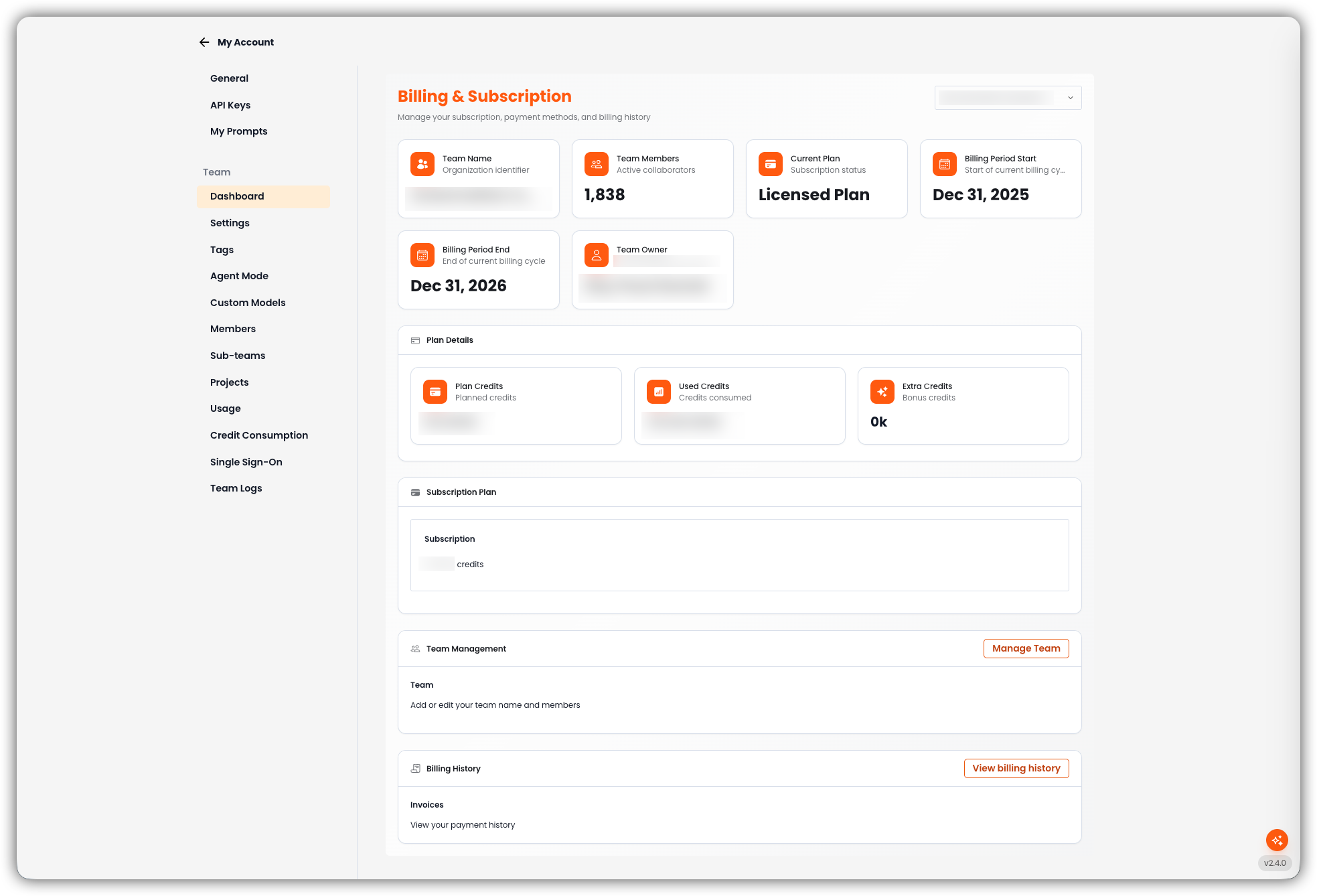
Overview
Cards at the top of the page summarize the current team:
| Card | What it shows |
|---|---|
| Team Name | Organization identifier for this team |
| Team Members | Number of active collaborators |
| Current Plan | Subscription status — for example Licensed Plan, Pro Plan, or Free Plan |
| Billing Period Start | Start of the current billing cycle |
| Billing Period End | End of the current billing cycle |
| Team Owner | Name of the team owner (email is shown as supporting text) |
Billing period cards appear when the team has a billing cycle. Team Owner appears when an owner name is on file.
Plan Details
Credit usage for this team in the current cycle.
| Card | What it shows |
|---|---|
| Plan Credits | Credits included in the plan |
| Used Credits | Credits consumed this cycle |
| Extra Credits | Bonus credits |
If this team is a sub-team, Plan Details instead shows Used Credits, Allocation (the cap from the parent), Remaining, and Seats (from the shared license, or used of cap when a seat ceiling is set). Unused allocation is not reserved for this team — see Sub-teams.
Subscription Plan
Visible to team owners. Shows the team's plan name, whether it is Active or Canceled, and the credit amount for the plan.
Team Management
Visible to team owners. Shortcut to add or edit the team name and members. Manage Team opens Team Settings.
Billing History
Visible to team owners. View billing history opens invoices and payment history for the team.