Team Logs
Open My Account → Team Logs to review this team's activity. The page has two views: Security Logs and Signups.
Only team admins can open this tab.
Security Logs
Security Logs lists user actions on the team — chats, workflow runs, and similar events.
Search by user, filter by type or project, pick a date range, then Export as CSV or XLSX. Load More fetches the next page. Refresh reloads the list.
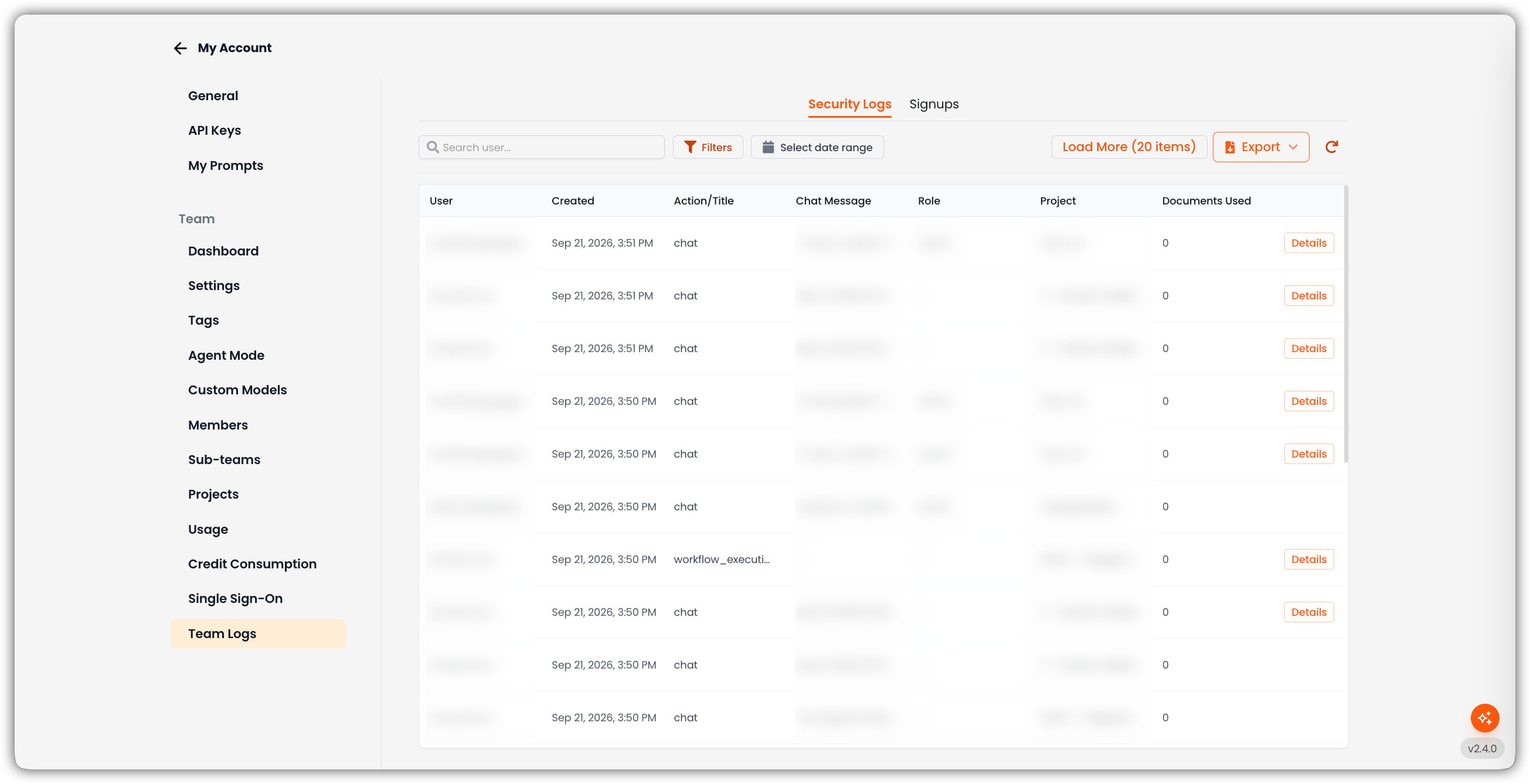
| Control | What it does |
|---|---|
| Search user... | Filter by user email |
| Filters | Type (action), Project, Document Count, and Chat Message search. Apply Filters or Clear. |
| Select date range | Limit the table to a time window |
| Clear all | Appears when any filter is active |
| Load More | Load the next page of logs |
| Export | Download CSV or XLSX |
| Refresh | Reload the current results |
| Column | Description |
|---|---|
| User | Who performed the action |
| Created | When it happened |
| Action/Title | Event type (for example chat, workflow_execute) |
| Chat Message | Message text, when the action is a chat |
| Role | The user's team role |
| Project | Project the action ran in |
| Documents Used | How many documents were used |
| Details | Opens extra event fields, when they exist |
Click a chat row to open that chat. Empty state: No team logs found.
Signups
Signups shows Registrations — every account created on this workspace, with the method used, how they joined, and the originating IP address and browser. On a parent team, the list can include child-team registrations and a Team column.
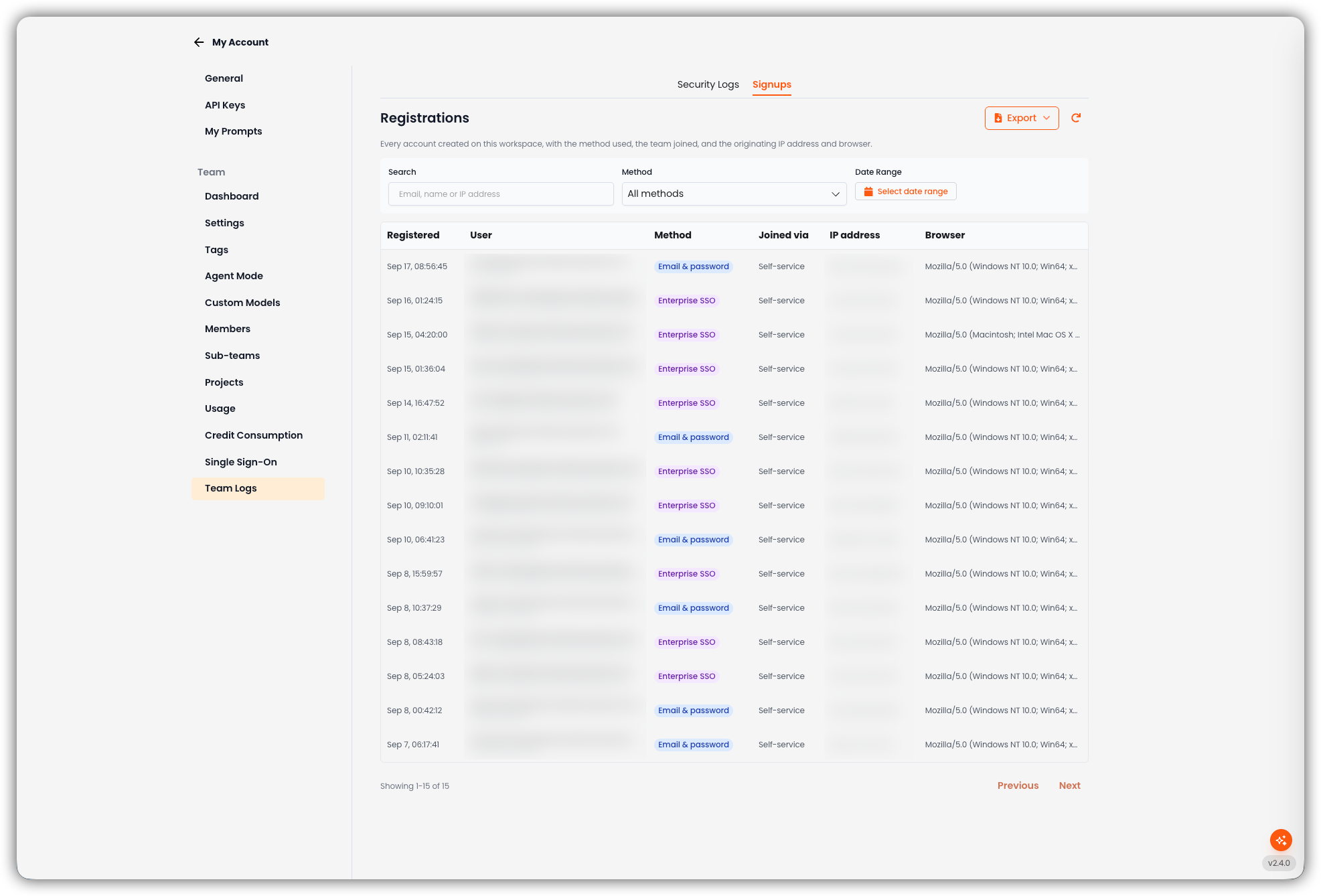
| Control | What it does |
|---|---|
| Search | Email, name, or IP address |
| Method | All methods, or a specific method such as Email & password, Google, or Enterprise SSO |
| Date Range | Limit the table to a time window |
| Export | Download CSV or XLSX |
| Refresh | Reload the current results |
| Previous / Next | Page through results |
| Column | Description |
|---|---|
| Registered | When the account was created |
| User | The person who signed up |
| Method | How they authenticated (Email & password, Enterprise SSO, Google) |
| Team | Which team they joined (shown when more than one team is in scope) |
| Joined via | How they entered (for example Self-service, Invited, Email domain) |
| IP address | Originating IP |
| Browser | User agent |
Empty state: No registrations found for the selected filters.