Sub-teams
Open My Account → Sub-teams to nest teams under a parent so your org chart maps onto EKB. Each sub-team is a full team — its own members and admin view — that shares the family's license, credits, and seats rather than holding a separate pool.
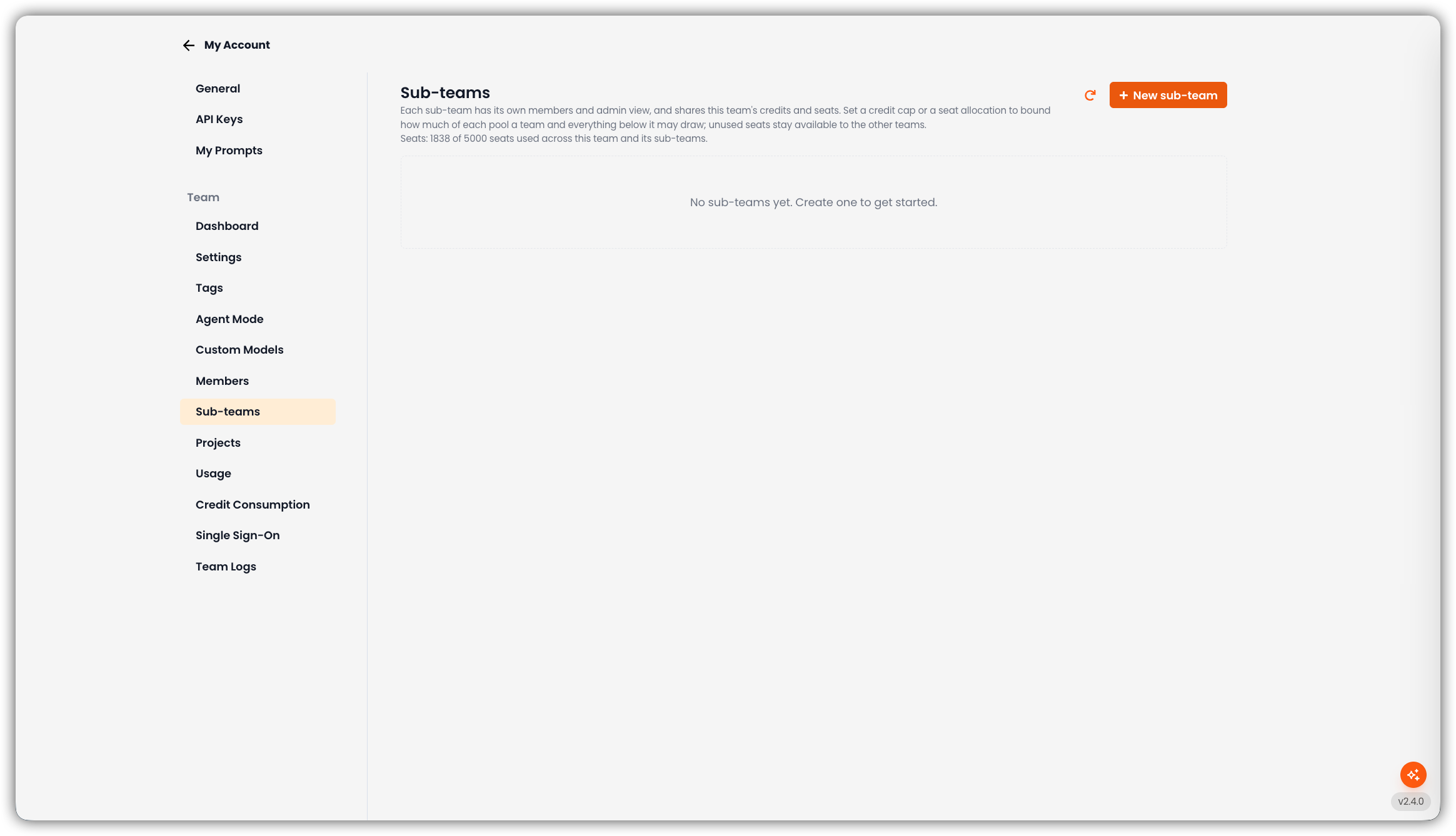
Only team admins can open this tab and create or edit sub-teams.
The header explains how sharing works and shows seat usage across this team and its sub-teams. If your license limits how many teams you can create, the UI also shows how many of that limit are used.
Empty State
If there are no sub-teams yet, the page shows No sub-teams yet. Create one to get started. and + New sub-team.
Add a Sub-Team
Click New Sub-Team
The create form opens on the page.
Fill in the Fields
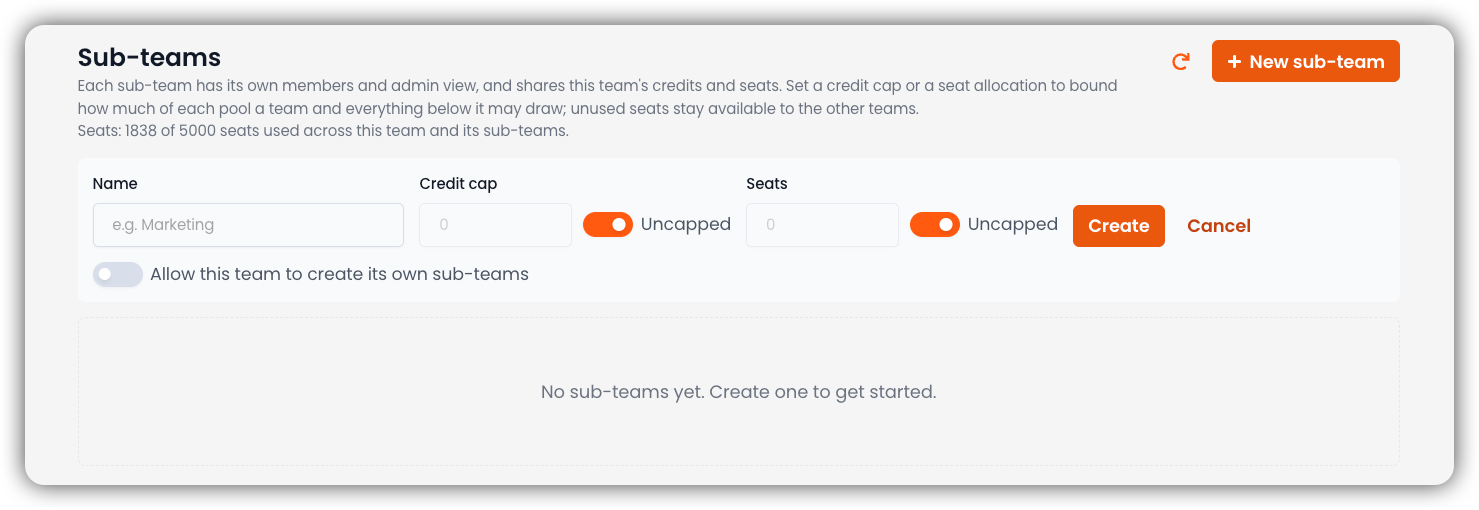
Field Description Name Sub-team name (for example Marketing)Credit cap Ceiling on credits this team and everything below it may draw. Toggle Uncapped (on by default) to leave it unbounded. Seats Ceiling on seats this team and its subtree may use. Toggle Uncapped (on by default) to leave it unbounded. Unused seats stay available to other teams. Allow this team to create its own sub-teams Off by default. When on, admins of this new team can create their own children. If this parent team has a Team SSO configuration, an extra option appears: Copy this team's SSO configuration to the new sub-team. The copy is independent (its own ACS URL and Entity ID). Later changes on the parent do not reach it.
Create
Click Create. Cancel closes the form without saving.
How the Tree Works
When at least one sub-team exists, the page shows an expandable tree:
| Column | Description |
|---|---|
| Name | Team name |
| Credit cap | Credit ceiling for that team and its subtree |
| Seats | Seat ceiling for that team and its subtree |
| Members | Member count |
| Sub-teams | Nested children |
| Host | Dedicated host/subdomain, if set |
| Sign-in policy | That team's own subdomain sign-in switches, when policy data is available |
| Active | Whether the team is active |
Actions on a row typically include adding a child, editing caps, and managing the host/subdomain.
Nesting Depth
Teams can nest up to 5 levels below the top-level (root) team.
Who Can Create Deeper Sub-Teams
- The root team can always create children.
- Creating a sub-team under another sub-team requires that parent to have Allow this team to create its own sub-teams enabled (off by default).
Seat Allocation (Shared License Pool)
Seats belong to the license family, not to a single team in isolation.
| Concept | Meaning |
|---|---|
| Seat allocation / seat cap | A ceiling on how many seats that team and its subtree may use |
| Not a reservation | Unused seats stay available to sibling teams |
| Distinct people | The same person on a parent and a child counts as one seat |
Inviting Members to a Child Team
Child-team invites draw from the parent license pool. If a child has no local seat cap of its own, invites are not blocked — seats come from the shared family pool (subject to ancestor ceilings).
If capacity is exhausted, ask a parent-team administrator to raise the seat allocation or free seats.
Credit Caps on Sub-Teams
A credit cap on a sub-team is a ceiling on how many credits that team and everything below it may draw from the shared credit pool in the billing period. Like seats, it does not reserve credits — unused headroom remains available to siblings.
For project-level ceilings, see Project credit allocation. For the subtree usage dashboard, see Credit Consumption.
Optional Host / Subdomain
Sub-teams can be given a dedicated host/subdomain (managed from the Sub-teams UI). That matters for Team SSO, which can offer a default IdP configuration on the team's subdomain.
Who Can Manage Sub-Teams
| Role | Access |
|---|---|
| Team Admin (including admins inherited from an ancestor) | Create and edit sub-teams in scope; set credit/seat caps; toggle Allow sub-teams; manage subdomain |
| Editor / Member | No Sub-teams tab |
Admin authority flows down the tree (parent can manage children), not sideways or up.