> ## Documentation Index
> Fetch the complete documentation index at: https://ai-kb.automationanywhere.com/llms.txt
> Use this file to discover all available pages before exploring further.
# Google Slides
> Create and modify presentations
## Configuración
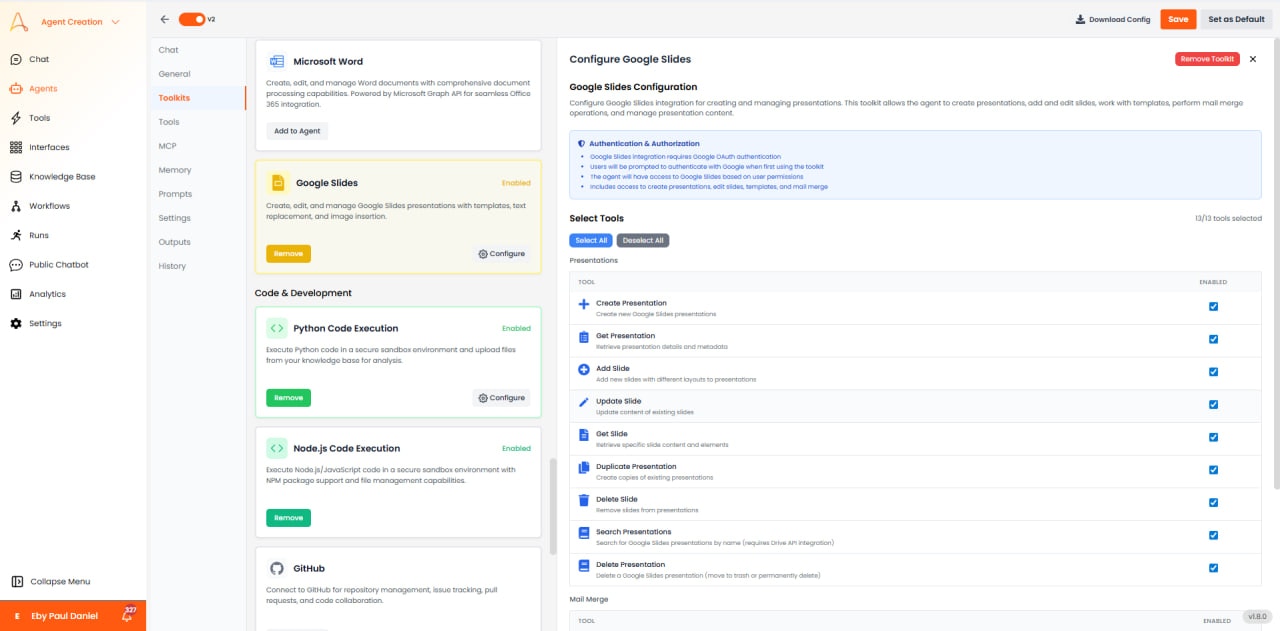
 * **Authentication**: OAuth 2.0
* **Access**: Create, read, and modify presentations
* **Supports**: Personal Google accounts and Google Workspace
## Available Tools
### Presentation Management
* **Create Presentation**: Create a new presentation with a custom title.
* **Get Presentation**: Retrieve presentation metadata.
* **Add Slide**: Insert new slide with layout options.
* **Delete Slide**: Remove slides from presentation.
### Content & Formatting
* **Insert Text**: Add text boxes with position and styling.
* **Insert Image**: Add images with positioning.
* **Insert Table**: Add tables with rows and columns.
* **Insert Chart**: Add charts linked to Google Sheets.
* **Apply Theme**: Apply design themes to presentation.
## Casos de Uso
* **Automated Slide Decks**: Generate presentations from data.
* **Report Presentations**: Convert analysis into slide decks.
* **Status Updates**: Create project status presentations.
* **Training Materials**: Generate educational content.
* **Authentication**: OAuth 2.0
* **Access**: Create, read, and modify presentations
* **Supports**: Personal Google accounts and Google Workspace
## Available Tools
### Presentation Management
* **Create Presentation**: Create a new presentation with a custom title.
* **Get Presentation**: Retrieve presentation metadata.
* **Add Slide**: Insert new slide with layout options.
* **Delete Slide**: Remove slides from presentation.
### Content & Formatting
* **Insert Text**: Add text boxes with position and styling.
* **Insert Image**: Add images with positioning.
* **Insert Table**: Add tables with rows and columns.
* **Insert Chart**: Add charts linked to Google Sheets.
* **Apply Theme**: Apply design themes to presentation.
## Casos de Uso
* **Automated Slide Decks**: Generate presentations from data.
* **Report Presentations**: Convert analysis into slide decks.
* **Status Updates**: Create project status presentations.
* **Training Materials**: Generate educational content.